
Reflections from the DAMA Edmonton Annual Conference on shadow AI, organizational blind spots, and how IT can keep up.
Last week, I spoke at the DAMA Edmonton Annual Conference about shadow AI—the tools, features, and agents people use for work without their organization knowing, approving, or overseeing them.
One question from an IT professional got right to the practical challenge: how does IT keep things locked down while allowing AI tools and usage to expand? IT moves slowly on purpose. How does it keep up?
It’s a good question. If you’re responsible for keeping an organization’s systems running and its information protected, every new tool comes with work attached. You need to understand what it can access, where information goes, who supports it, and what happens when something breaks.
Meanwhile, someone down the hall has found an AI tool that saves them three hours a week. They’ve signed up, figured it out, and started using it.
They may not have thought to mention it.
That gap was at the centre of my presentation, “Shadow AI: What Unsanctioned Tools Reveal About Demand, Data, and Security.”
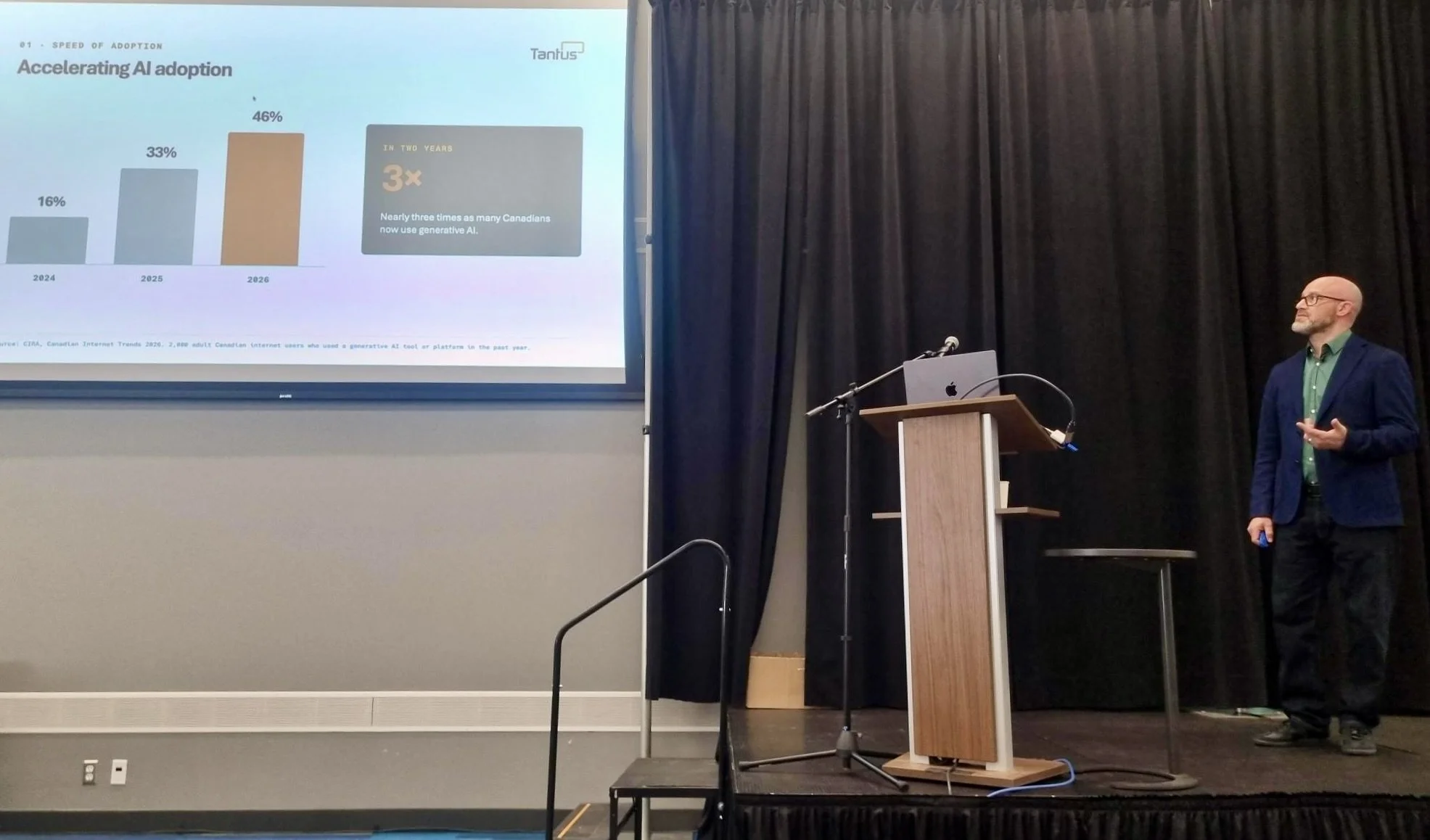
Jason Suriano, Director of AI at Tantus Solutions presenting at the 2026 DAMA Edmonton Annual Conference.
There’s a reason for the workaround
Most people don’t arrive at work looking for a new way to complicate IT’s day. They have reports to finish, information to find, and tasks they’ve been repeating for years.
Then they discover something that makes their job easier.
Maybe they use a personal chatbot account to summarize a document or they turn on an AI feature in software they already use. Or maybe they build a small application to handle a task that nobody has had the time or budget to fix.
From IT’s perspective, an unapproved tool has entered the organization. From the employee’s perspective, they’ve finally found a way to get through Friday’s reporting without spending Friday building it.
Both perspectives matter.
Before you can decide what to do about an AI tool, you need to understand the work behind it. What was taking too long? What couldn’t the approved software do? What information did the employee need, and how did they get it?
An employee who has gone to the trouble of building a workaround has given you a useful place to start looking.
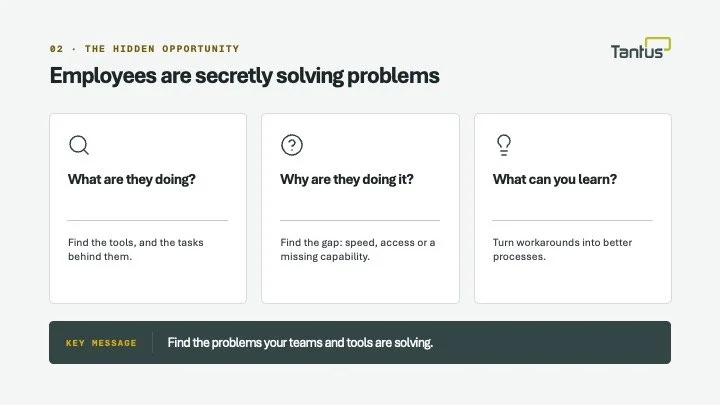
Find out what employees are doing, why they’re doing it, and what you can learn to improve your organization.
IT needs a workable way to say yes
Back to the question from the conference.
Telling IT to move faster doesn’t help. Reviewing a tool properly takes time, and the consequences of getting it wrong don’t disappear because everyone is excited about AI.
But employees need a workable route through a review. If they submit a request and don’t hear back for months, the task they wanted help with is still there, waiting to be done.
You can imagine how attractive the workaround becomes.
A practical approach starts with the task and the level of access involved. An employee using public information to prepare a draft has different requirements from someone connecting an agent to email, customer records, or financial systems.
What can the tool see? Can it change anything? Who checks its work? Who owns the process?
These questions help IT work out where people can experiment, where additional controls are needed, and where a request needs a closer look. They also give employees defined, understandable boundaries.
The approved option has to be useful. If it can’t handle the task people need help with, handing out licences won’t resolve the demand that sent them looking elsewhere.
Three confident answers but which one is right?
One example in my presentation asks a straightforward question: if we raise rates by two per cent, how much does next year’s revenue grow?
An analyst asks one AI tool, using a spreadsheet from SharePoint and assumptions stored in chat memory. A manager asks another, using last year’s budget presentation and a policy document. A planner uses current assessment data and an unapproved draft model.
Three people. Three sets of information. Three confident answers.
Now someone has to decide which number belongs in the budget.
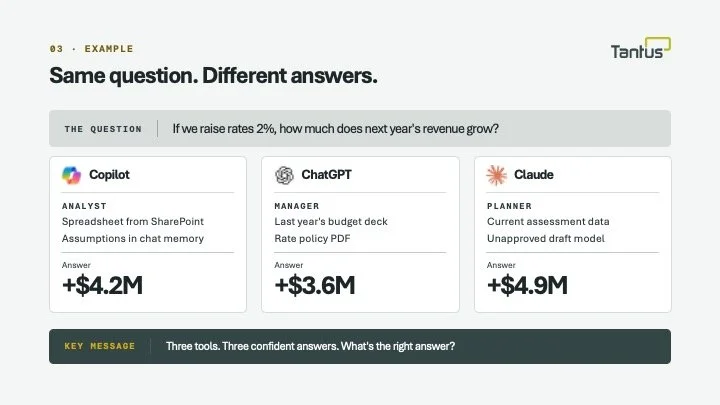
Illustrative scenario showing how different source information and assumptions can produce conflicting answers using AI.
The example hits a familiar organizational problem. Which document is current? Who approved the assumptions? Where is the information everyone is supposed to use?
AI gives those questions more urgency. It can produce an answer quickly, but someone still needs to establish whether the answer is based on the right information.
If your organization already struggles to name files and folders, maintain shared records, or distinguish a working draft from an approved document, there’s work to do before a confident answer becomes a dependable one.
Your AI knows. Does your organization?
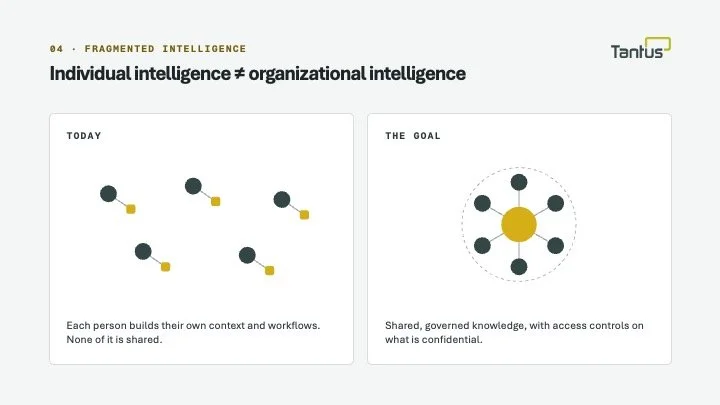
People invest time in making their AI tools useful. They provide background, refine instructions, upload reference material, and develop workflows that suit their jobs.
That effort can make an individual much more effective. But consider what happens when the useful context stays in that person’s account.
Can a colleague use it? Does anyone know how the workflow operates? What happens when the employee changes roles or leaves?
An organization can have several people doing impressive things with AI and still have very little shared understanding of how any of it works.
This is where adoption needs to become an organizational conversation. Useful workflows need owners. Shared information needs to be maintained. Access needs to reflect what people and their tools are supposed to do.
Buying more software is the easy part. Building something the organization can rely on takes attention to all of those details.
Start with work you can understand
There are no magic bullets. A policy needs a practical way to follow it and approved tools need to help.
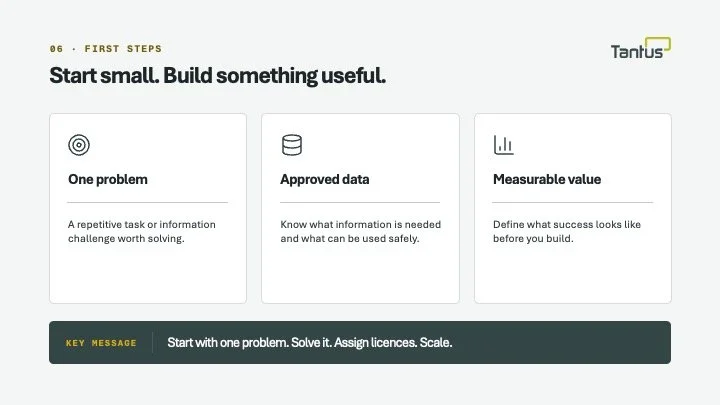
Start with one problem worth solving.
Find out how people handle it today, including any workarounds they’ve already developed. Identify the information involved, establish who owns the process, and decide how you’ll check whether the new approach is better. Then build, learn, and improve.
The IT professional’s question resonated because it captures the situation perfectly. IT is accountable for protecting the organization. Employees are trying to get their work done. A useful approach to shadow AI has to make room for everyone.
Thank you to DAMA Edmonton for the opportunity to present, and to the attendees who brought their questions and experience to the discussion.
Download the presentation
Explore “Shadow AI: What Unsanctioned Tools Reveal About Demand, Data, and Security.”
Create a free Tantus resource-library account, or log in, to download the presentation.